
Sign Up for an Event
Overview
This page explains how to sign up for events such as Skills & Drills instruction or Level Evaluations. Signups are handled by the Pickleball Den software.
In order to sign up for an event such as skills and drills or evaluations, you must first join the appropriate sub-club.
Instructions
Once you have joined a sub-club, go to your Pickleball Den home screen and find the sub-club there. You can then select “Sign-Up Sheets”. For example, to select a signup sheet for 2.5 Skills and Drills:
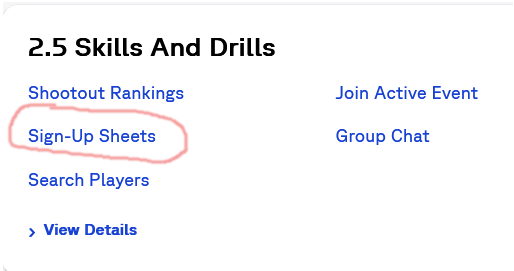
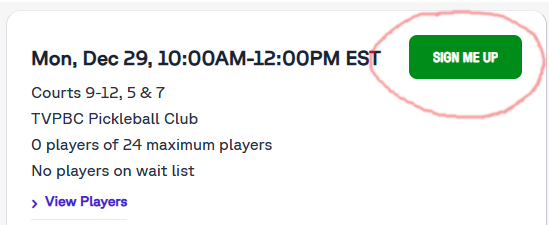
Select “Sign-Up Sheets”, and you will see the screen showing signup information. Just click or tap on “SIGN ME UP”.
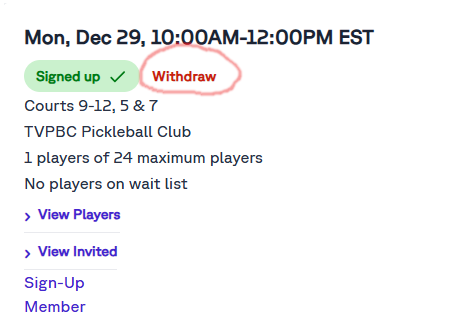
Remember that if you are no longer able to attend, you should remove yourself from the signup. Most sign up sheets have a player limit with overflow players being put on a wait list. Removing yourself from the signup when you can’t attend gives others a chance to play.
The same process applies to signups for all sub-clubs.